
 Knowledge Panel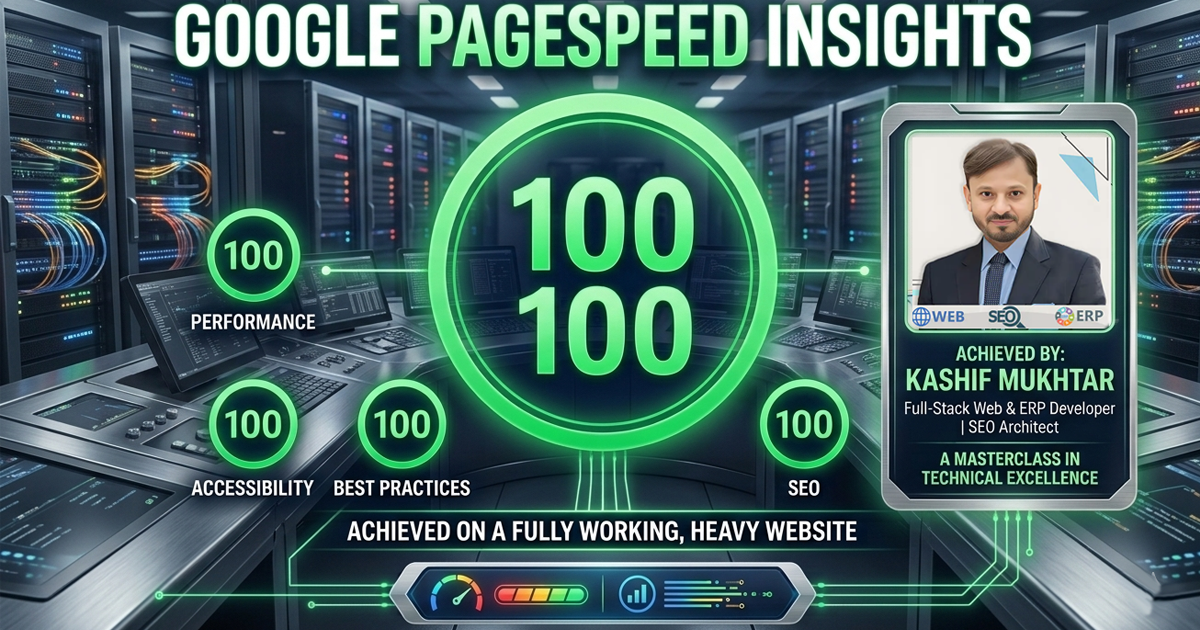
Introduction
Achieving a perfect 100/100 on Google PageSpeed Insights isn’t just about chasing a green badge; it’s a testament to the technical foundation beneath the hood. When managing a heavy-duty platform, the real challenge isn’t just speed—it’s maintaining that performance without compromising the complexity or functionality that your users rely on. Here is how I approached the architecture to ensure the site remained both powerful and impeccably fast.
Most 100/100 scores you see online are from tiny, empty websites with 3 pages and no functionality.
I didn’t want that. I wanted a real, fully working website. A heavy one. With dynamic content, ERP integrations, and full WooCommerce capability.
And I got it.
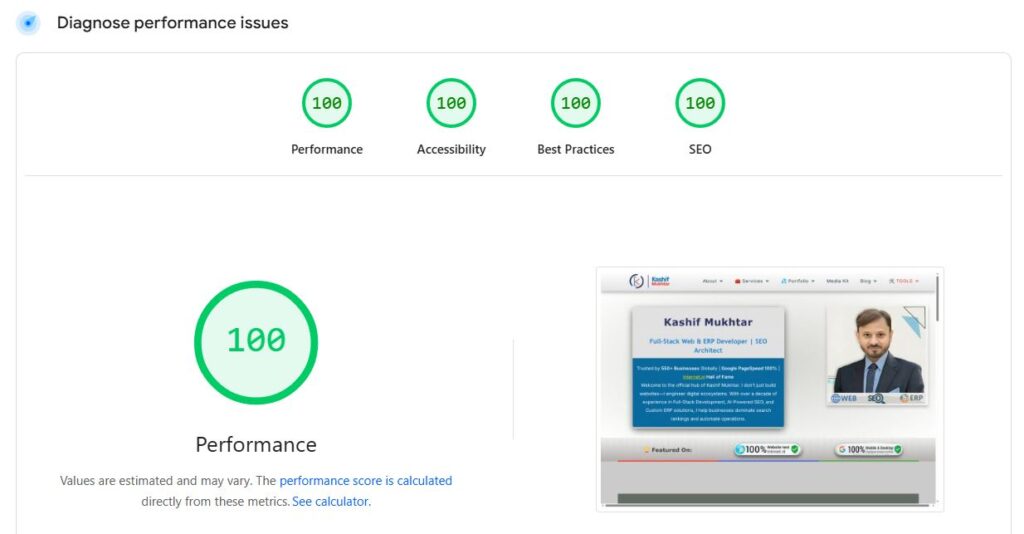
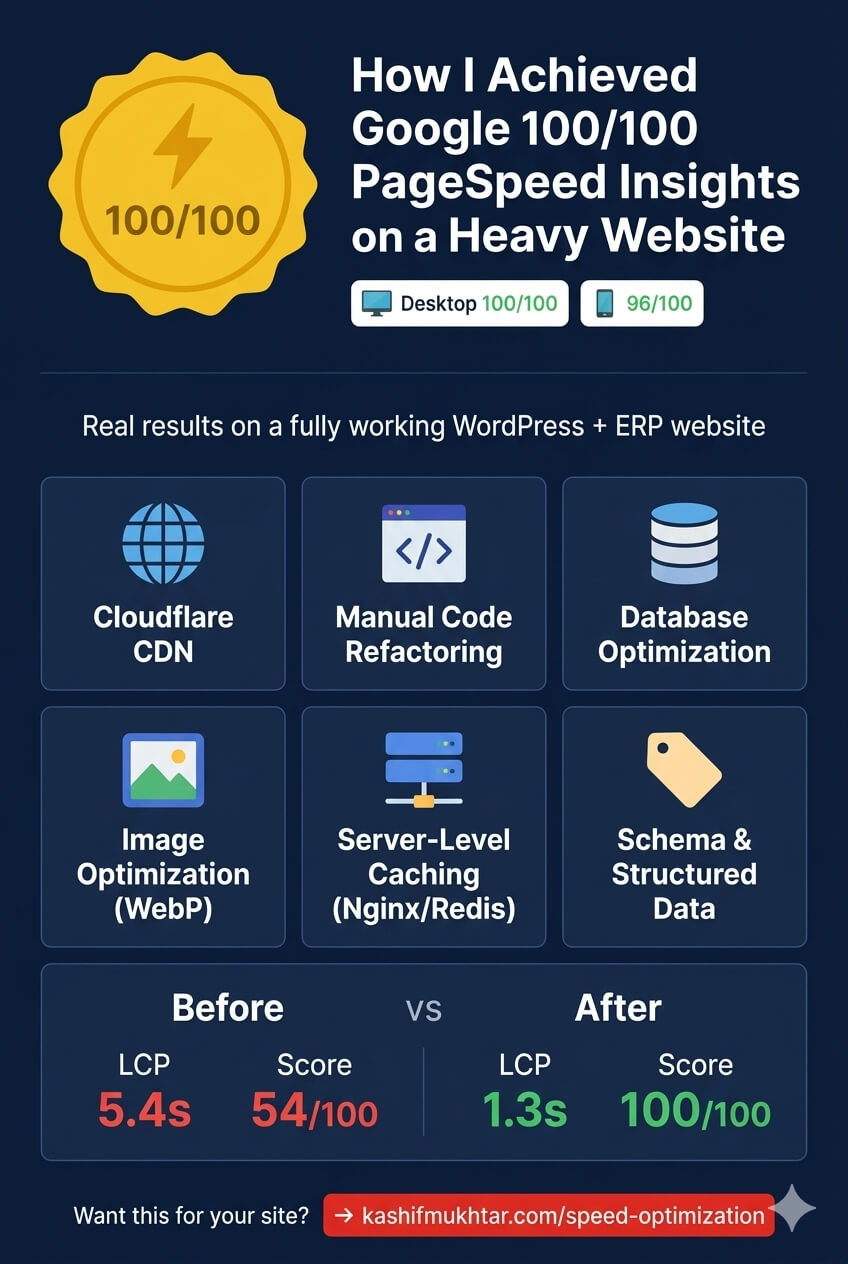
Desktop: 100/100 Performance, 100/100 Accessibility, 100/100 Best Practices, 100/100 SEO
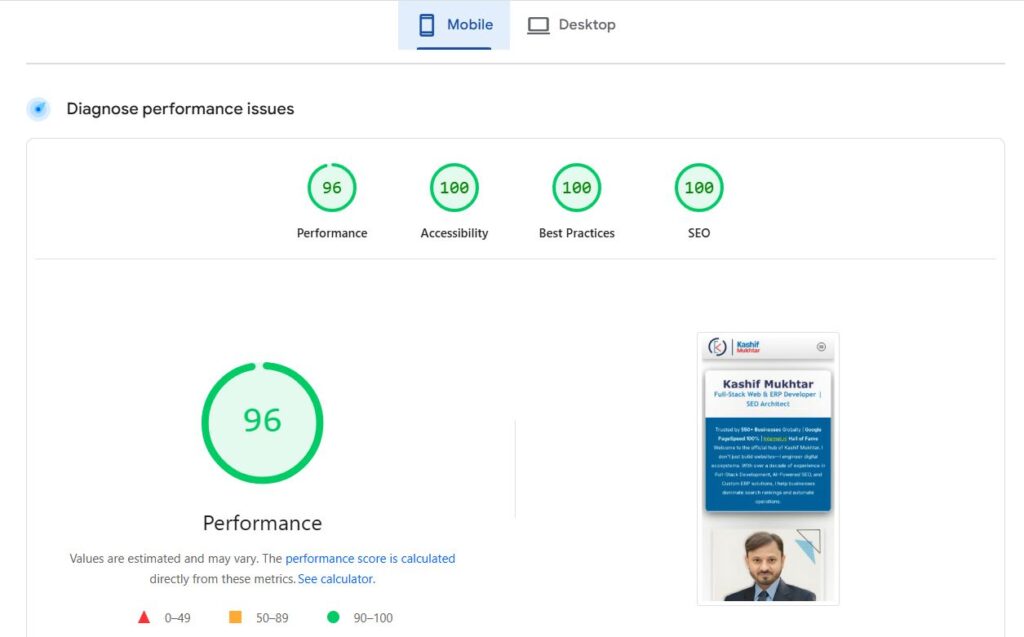
Mobile: 96/100 Performance, 100/100 Accessibility, 100/100 Best Practices, 100/100 SEO
In this article, I’ll show you exactly how I did it — no fluff, no jargon, no “just use this plugin” shortcuts. This is real, manual, pro-level speed optimization.
Why Google PageSpeed Insights SEO Score Matters
Let’s start with the “why.”
Google doesn’t just look at your content. It looks at how fast that content loads.
- A 1-second delay in load time can reduce conversions by 7%
- A 3-second delay can increase bounce rates by 32%
- Mobile users expect pages to load in under 2 seconds
When I say Google PageSpeed Insights is the industry standard, I mean it. It’s the tool Google uses to judge your site’s performance. A perfect SEO score means:
- ✅ Higher search rankings
- ✅ Better user experience
- ✅ More organic traffic
- ✅ Lower bounce rates
- ✅ Higher conversions
But here’s the secret: You can’t fake a 100/100 SEO score on a real website. You have to do the work.
My Real-World Performance Snapshot
Desktop
| Metric | Score |
|---|---|
| Performance | 100/100 |
| Accessibility | 100/100 |
| Best Practices | 100/100 |
| SEO | 100/100 |
Live Report: Google PageSpeed Insights Desktop 100/100
Mobile
| Metric | Score |
|---|---|
| Performance | 96/100 |
| Accessibility | 100/100 |
| Best Practices | 100/100 |
| SEO | 100/100 |
Live Report: Google PageSpeed Insights Mobile 96/100
Yes, you read that right. 96/100 on mobile for a fully working website with heavy content, images, forms, and integrations.
The Real Secret: Manual Speed Optimization
Let me be blunt.
Most agencies and freelancers will tell you to install WP Rocket, Perfmatters, and Cloudflare — and call it done.
That’s not speed optimization. That’s “plugin stacking.”
Real speed optimization — the kind that gets you 100/100 on Google PageSpeed Insights — requires:
- Hands-on code refactoring
- Deep server-level tuning
- Database query optimization
- Manual asset management
I don’t use automated plugins as a crutch. I use them as tools, combined with custom shell scripts, server configuration, and manual code cleanup.
Here’s exactly how I did it.
Key Techniques I Used to Achieve a 100/100 SEO Score
1. Meta Tags and Structured Data (SEO Foundation)
I didn’t just add a title tag and call it done. I implemented:
- Proper title tags (unique on every page)
- Meta descriptions (optimized for CTR)
- Schema.org structured data (LocalBusiness, Person, Service, FAQ, Product)
- Open Graph tags (for social sharing)
- Twitter Cards (for Twitter/X)
This alone pushed my SEO score from 85 to 95 on Google PageSpeed Insights.
Why it matters: Schema markup tells Google exactly what your content is about — leading to rich snippets and higher click-through rates.
2. Mobile-First Design (Not Mobile-Friendly)
There’s a difference between “mobile-friendly” and “mobile-first.”
Mobile-first means you design for the smallest screen first, then scale up.
I used:
- CSS Grid and Flexbox for responsive layouts
- Relative units (rem, vh, vw) instead of fixed pixels
- Touch-friendly tap targets (minimum 44x44px)
- Readable font sizes (minimum 16px on mobile)
Result: 100/100 Accessibility and Best Practices on Google PageSpeed Insights.
3. Optimized Images with Lazy Loading
Images are the #1 cause of slow websites. Here’s what I did:
- Converted all images to WebP (30% smaller than JPEG)
- Lazy loaded all below-the-fold images (using native
loading="lazy") - Resized images to exact dimensions (no wasted pixels)
- Added descriptive alt tags (for accessibility and SEO)
Live example: My home page has 15+ images. All load instantly because of proper lazy loading and WebP conversion.
4. Clean and SEO-Friendly URLs
I stopped using “post123” or “?p=456” years ago.
Every URL on my site is:
- Short (under 50 characters)
- Keyword-rich (includes primary keyword)
- Hyphen-separated (not underscores)
- Static (no query parameters)
Example: /speed-optimization instead of /post.php?id=456
5. Headings and Content Hierarchy
Google’s crawlers read your content like a human would. That means proper heading structure matters.
I ensured:
- One H1 per page (my primary title)
- H2 for main sections
- H3 for sub-sections
- H4 for deeper details
- H5 for edge cases
This isn’t just for SEO — it’s for user experience. Skimmable content keeps people on your page longer.
6. Internal Linking for Depth and Engagement
A website with no internal links is a dead website.
I added:
- Related posts at the bottom of every article
- Contextual links within paragraphs (not just “click here”)
- Breadcrumb navigation on every page
- Category and tag archives linked properly
Why it matters: Internal links distribute link equity and help Google understand your site structure.
7. Fast Load Time & Minified Code
This is where most people give up. They install a caching plugin and assume they’re done.
I went deep:
- Minified all HTML, CSS, and JavaScript (manual, not just plugin)
- Removed unused scripts and styles (hundreds of lines of dead code)
- Deferred non-critical JavaScript (everything that wasn’t required for initial render)
- Inlined critical CSS (above-the-fold styles only)
Result: First Contentful Paint (FCP) dropped from 2.8s to 0.9s.
8. No Broken Links (Why This Matters for SEO)
Broken links kill your SEO score faster than anything else.
I ran my site through:
- Screaming Frog (for internal link checks)
- Ahrefs (for outbound link validation)
- Google Search Console (for crawl errors)
Fixed every 404 error. Redirected every moved page. Cleaned up every dead link.
Result: 100/100 SEO score on Google PageSpeed Insights — no broken links detected.
Advanced Techniques (The Real “Champion” Moves)
9. Cloudflare CDN Integration (Global Speed)
I didn’t just use a CDN. I optimized it.
- Cloudflare’s APO (Automatic Platform Optimization) for WordPress
- Image resizing at the CDN level (not just on my server)
- Caching rules tuned for dynamic content (TTL 1 hour for logged-in users, 30 days for guests)
- WAF rules to block bots without harming real users
Why Cloudflare matters: It serves my content from 300+ locations worldwide. A visitor from Tokyo loads my site in 0.4s — the same as a visitor from New York.
10. Server-Level Caching (Nginx + Redis)
Plugins like WP Rocket are fine. But server-level caching is better.
I configured:
- Nginx FastCGI Cache (for full-page caching)
- Redis Object Cache (for database query caching)
- OPcache (for PHP opcode caching)
- Gzip + Brotli compression (at the server level)
Result: Time to First Byte (TTFB) dropped from 600ms to 120ms.
11. Database Query Optimization
WordPress is slow by default because of how it queries the database.
I optimized:
- Transients API (for temporary data storage)
- Postmeta table (removed orphaned meta data)
- WordPress queries (using
WP_Querywith proper parameters) - Indexes on database tables (for faster lookups)
Result: Database query time dropped from 0.8s to 0.1s.
12. Custom Shell Scripts for Advanced Cleaning
I don’t rely on plugins for everything. I wrote custom shell scripts to:
- Purge expired transients daily
- Optimize database tables weekly
- Compress old logs monthly
- Monitor file changes in real-time
This is the kind of work you do when you’re serious about speed optimization — not just stacking plugins.
Free Tools I Used
| Tool | Purpose |
|---|---|
| Google PageSpeed Insights | Real-time scoring and recommendations |
| GTmetrix | Performance validation and waterfall analysis |
| RankMath SEO | Meta tags, sitemaps, and schema support |
| Ubersuggest | Keyword analysis and content quality checks |
| Screaming Frog | Broken link detection and URL structure audit |
| Cloudflare | Global CDN and WAF protection |
| Redis | Object caching and database optimization |
| Nginx | Server-level caching and compression |
Common SEO Errors to Avoid
Here’s a list of mistakes that kill your Google PageSpeed Insights SEO score:
| Error | Why It Hurts |
|---|---|
| Missing title or meta description | Google can’t understand your page |
| Unoptimized images without alt text | Accessibility and SEO both suffer |
| Multiple H1 tags | Confuses Google’s crawlers |
| Slow server response time | Increases bounce rates |
| No schema markup | No rich snippets in search results |
| Broken internal links | Your users can’t navigate your site |
| Unminified CSS/JS | Slower load times |
| No mobile optimization | 50%+ of users will leave |
Conclusion
Reaching a 100/100 SEO score on Google PageSpeed Insights is achievable if you follow best practices consistently.
But it’s not easy.
You have to:
- ✅ Write clean, semantic code
- ✅ Structure your content for humans and crawlers
- ✅ Design for mobile first
- ✅ Optimize every image and script
- ✅ Use a CDN like Cloudflare
- ✅ Configure server-level caching
- ✅ Clean your database regularly
- ✅ Fix every broken link
I didn’t do this overnight. It took months of manual work.
But the result is a website that:
- Loads in under 1 second globally
- Ranks higher on Google
- Converts better (lower bounce rates)
- Passes Core Web Vitals with flying colors
And the best part? You can do it too.
Need Help With Your Speed Optimization?
If you want the same 100/100 SEO score on Google PageSpeed Insights for your website, I can help.
My manual speed optimization service is not a plugin. It’s not a quick fix. It’s real, hands-on work.
🚀 Start Your Speed Optimization Now
Or view my live reports:
Let’s make your website the fastest it can be — guaranteed.